Before: payroll in spreadsheets
One run, every statutory line
Each payroll run works out EPF, SOCSO, EIS and PCB per employee, then hands you payslips, a payroll summary and EA Forms as PDFs.
The same rules, every month
HRWork works out EPF, SOCSO, EIS and PCB from the official tables, checks every clock-in with a selfie and GPS, and brings every request into one approvals inbox. Your team gets the month back.
No card needed Full access for 90 days Free data migration

Built on the official Malaysian rules
The HR month should not live in spreadsheets, chat threads and a drawer of forms. HRWork puts each of those jobs in its own place, done the same way every time.
Before: payroll in spreadsheets
Each payroll run works out EPF, SOCSO, EIS and PCB per employee, then hands you payslips, a payroll summary and EA Forms as PDFs.
The same rules, every month
Before: approvals lost in chat
Leave, claims, overtime, time off, equipment and payment vouchers wait in one place, with what a manager needs to decide in one tap.
Nothing slips through
Before: "who is in today?"
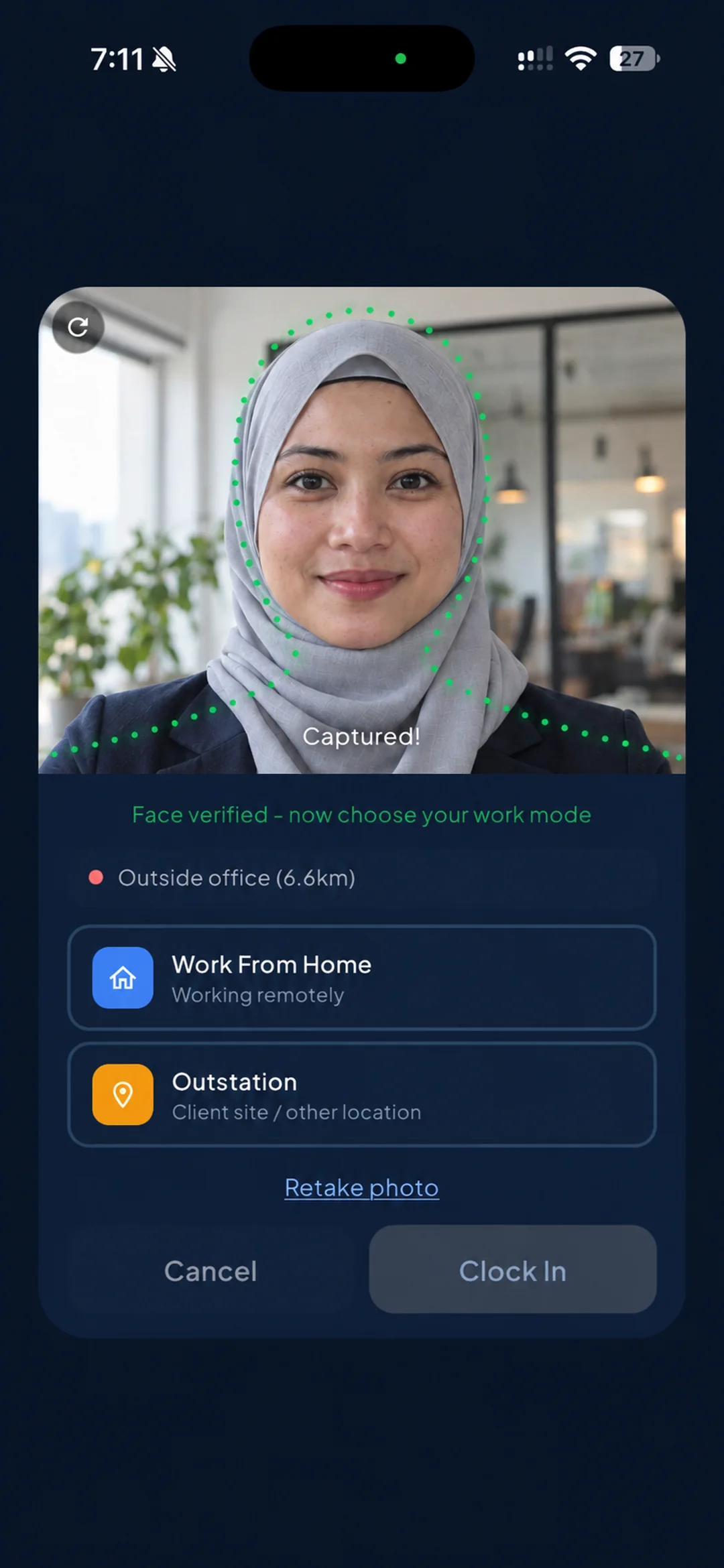
Clock-ins carry a selfie check and a location, and the weekly presence planner shows who is in the office, at home or on the road.
The whole team at a glance
Start with payroll and leave, and turn on the rest when your team is ready. It is one login, one set of employee records and one app.
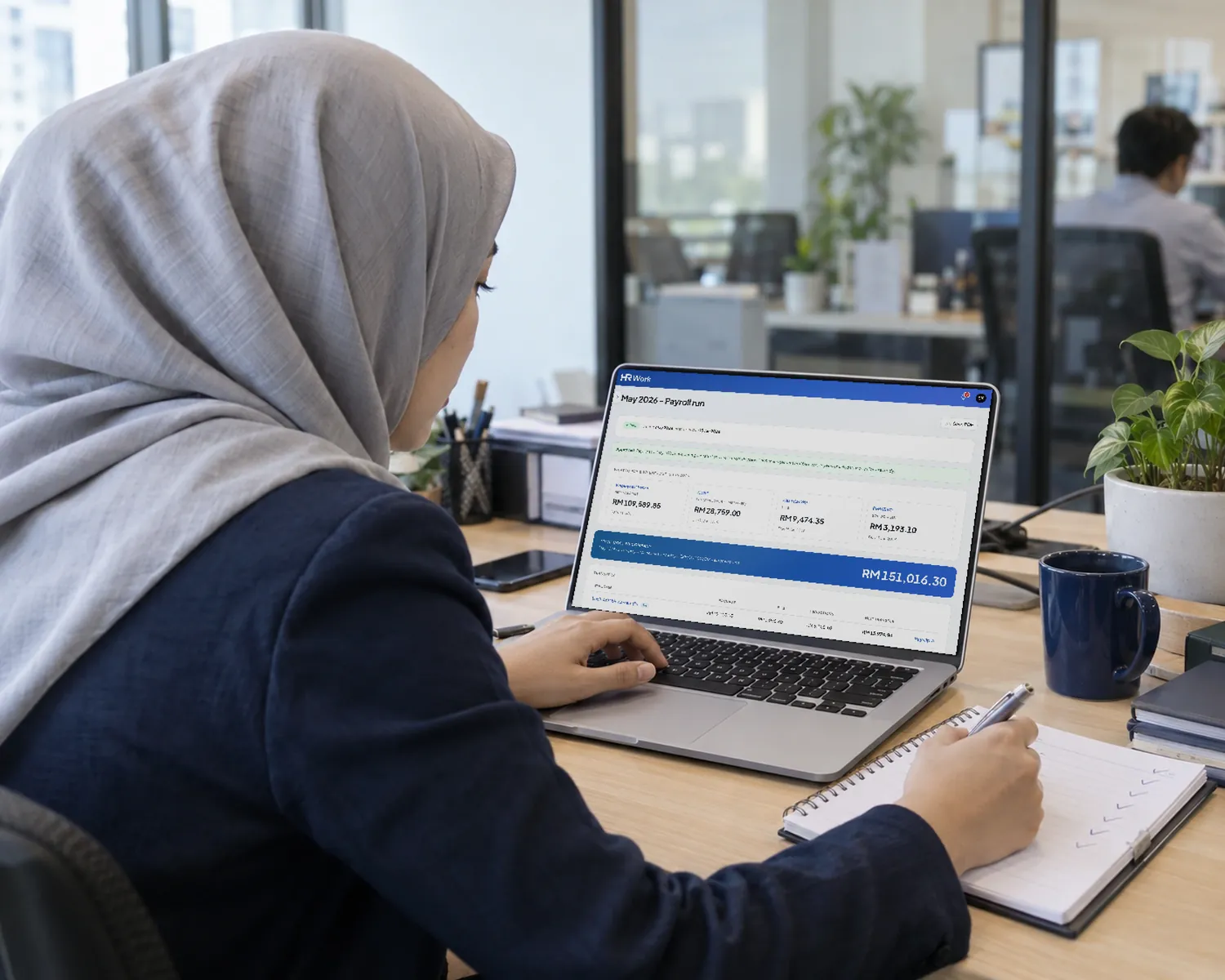
Monthly payroll from the official EPF, SOCSO and EIS tables and LHDN's PCB calculation, with full, prorated or custom pay. Payslips, the payroll summary and EA Forms come out as PDFs.
Explore payrollSelfie clock-in with a blink check, a GPS office radius, and office, WFH or outstation modes. Late minutes, schedules and auto clock-out are handled for you.
Explore attendanceLeave types, entitlements and carry-forward, half days and hourly time off, with state public holidays synced and a team calendar everyone can see.
Explore leaveClaims with line items and receipts, and payment vouchers by category. Once approved, both land in Finance's payment queue on their own.
Explore claimsEvery request a manager needs to decide, in one inbox on the web or on the phone. A decided request is locked, so the record stays the record.
Explore approvals
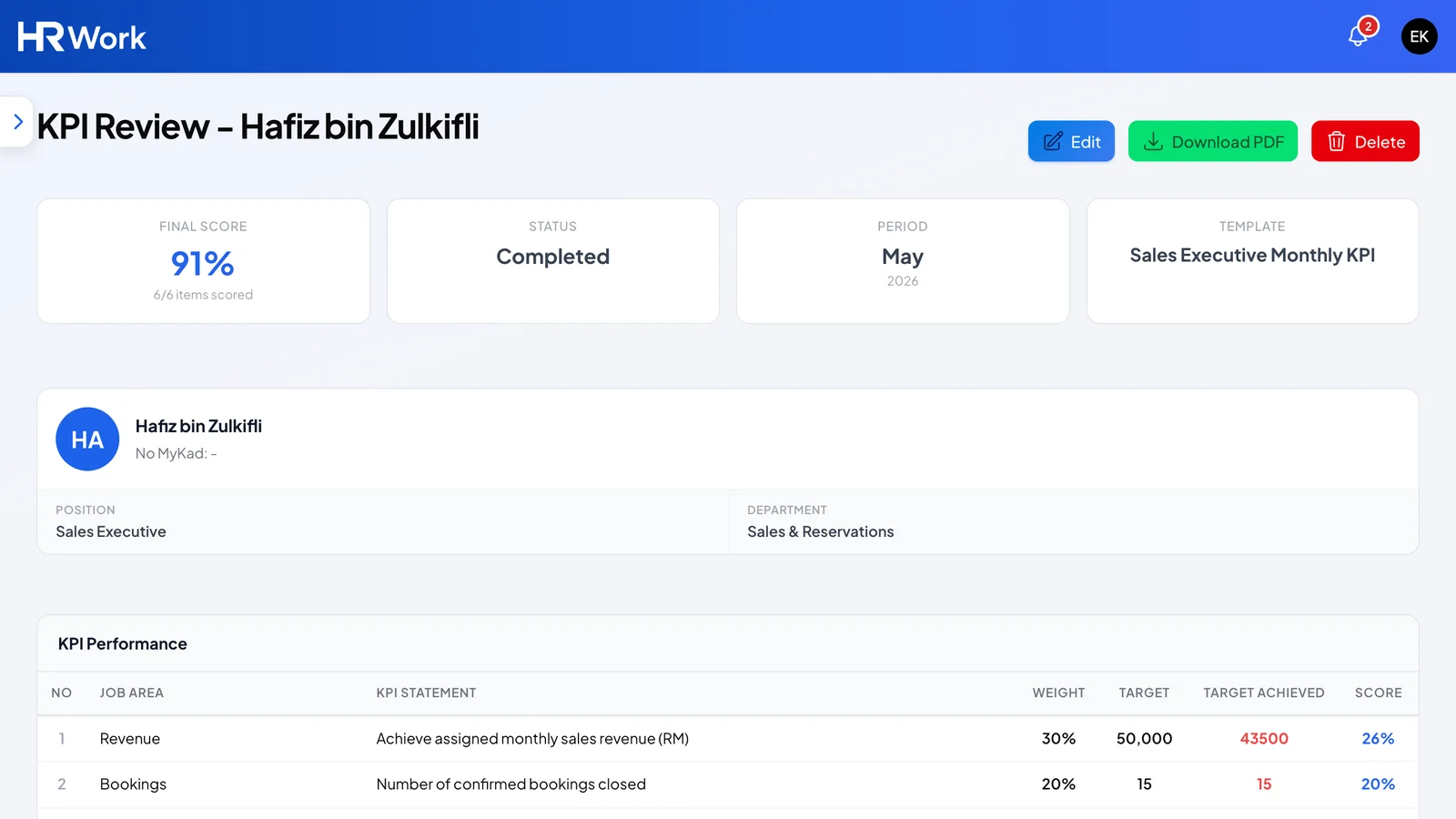
Weighted KPI templates with evidence and sign-off, and appraisals that move from self-review to manager scores, HR calibration and the employee's acknowledgement.
Explore performanceEvery salary revision and promotion on one timeline, with the letter that goes with it. Future-dated changes apply themselves on the day.
Explore career historySee who is overdue a rise, who is paid outside their salary band, promotions by department and how payroll cost moves year to year.
Explore analyticsPost jobs, track applications and interviews, then send an offer letter with an expiry date that the candidate signs online.
Explore recruitment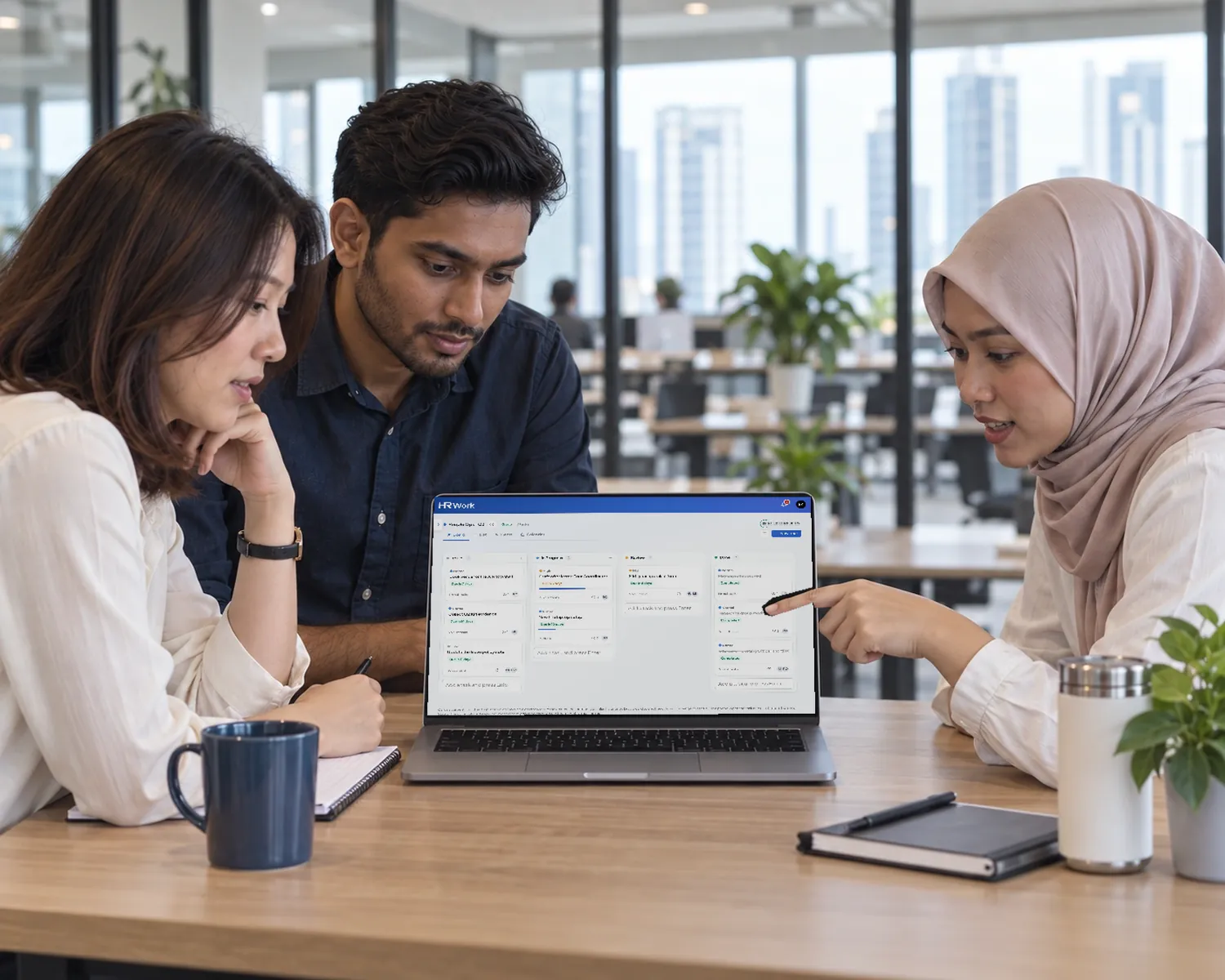
Team tasks in board, list, Gantt and calendar views, with subtasks, comments, mentions, files and recurring tasks.
Explore boardsA shared notebook with comments, mentions and version history, and action items that turn into tasks on a board.
Explore notesA daily logbook that carries unfinished to-dos forward, minutes of meeting with assigned action items, and weekly reports.
Explore the activity logAnnouncements to the whole company or just the people they concern, with attachments and scheduled sending, plus company events.
Explore announcementsRun the whole company in one screen. HRWork applies the EPF Third Schedule, SOCSO including SKBBK, EIS and LHDN's computerised PCB calculation, then shows exactly what to pay and where.
The contribution tables and the PCB calculation live inside HRWork, so every run follows the same rules and you never rebuild a spreadsheet when a rate changes.
A selfie with a blink check confirms a real person is clocking in, not a photo held up to the camera, and GPS keeps office clock-ins inside your office radius.
Requests start on the phone, decisions happen in one inbox, and anything that costs money lands with Finance on its own.
Staff send leave, claims, overtime, time off, equipment and voucher requests from their phone.
Managers approve from one inbox on the web or the app. A decided request is locked.
Approved payroll, claims and payment vouchers drop into Finance's payment queue automatically.
Finance takes, pays or holds each item, exports a CSV and gets a daily digest by email.
A library of English and BM letter templates on your own letterhead. Send for signature through a secure link, with no account needed.

Weighted KPI templates with evidence, digital sign-off and a quarterly, twice-yearly or yearly appraisal cycle that pulls the monthly KPI in.
Entitlements, carry-forward and half days, with a team calendar and a feed for your own calendar app.
Salary revisions and promotions on one timeline, applied on the date you set.
Overdue increments, pay outside the band and payroll cost by year, without a spreadsheet.
Job postings, applications and interviews, and an offer letter the candidate signs online.
Employee records, branches and departments, and an org chart drawn from reporting lines.
An equipment register with serial-number scanning, requests and return reminders.
Boards, notes and a daily activity log are part of HRWork, so the people you look after and the work they do sit in the same place.
Staff clock in, apply for leave, claim and check payslips. Managers approve, see who is in and can even run payroll, all from the same app.
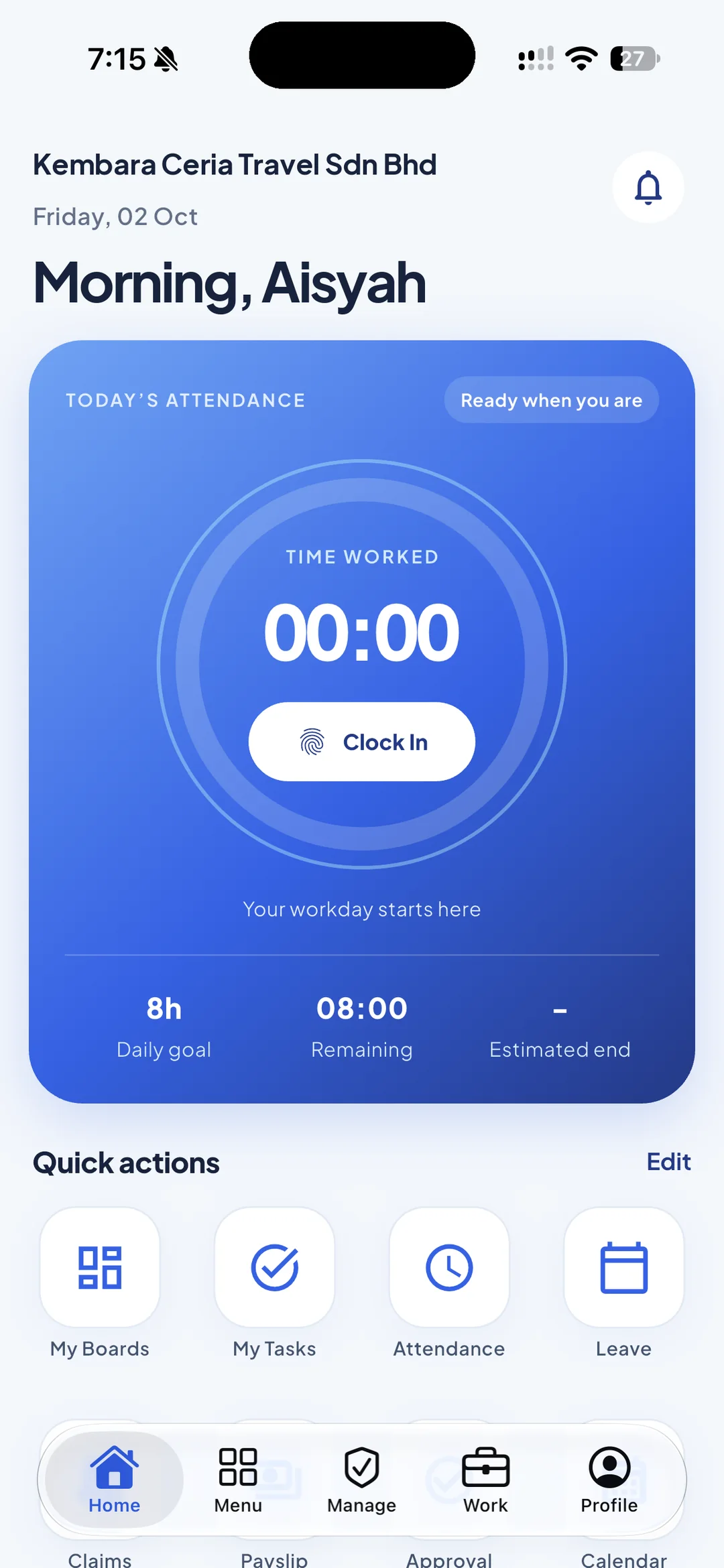
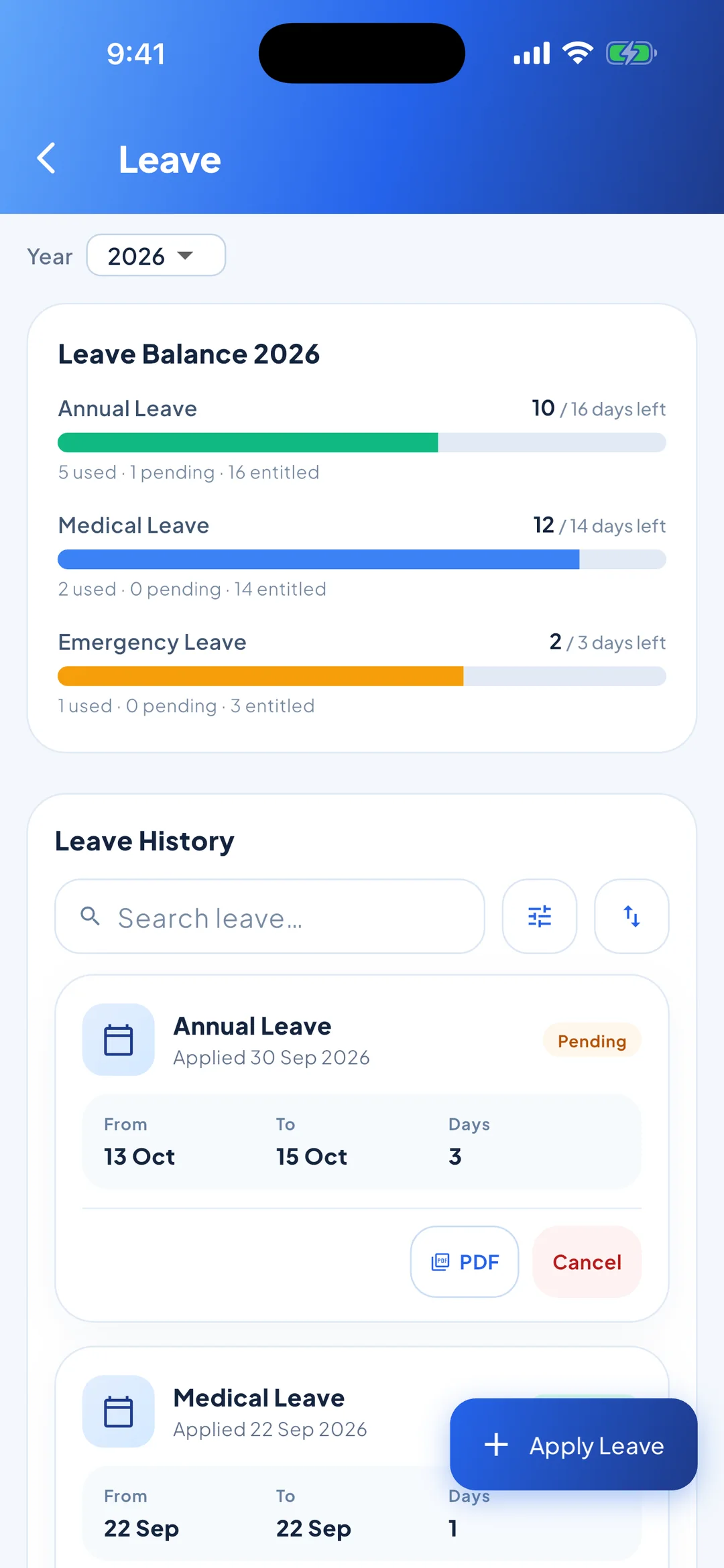
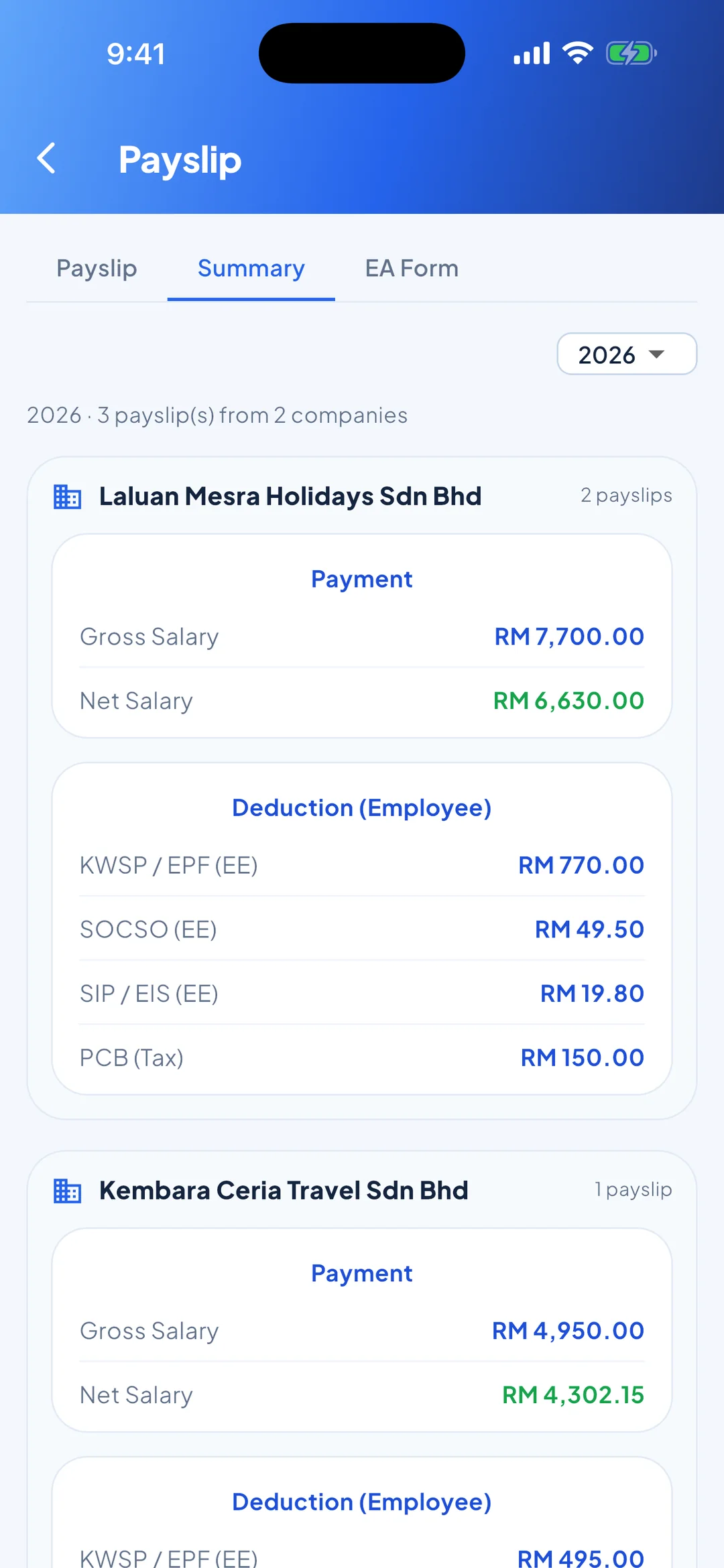
Payroll, leave and claims running from your first month, with the rest ready when you grow into it.
Learn moreEach entity with its own numbering, and one employee paid by more than one entity when you need it.
Learn moreOffice, WFH and outstation clock-ins, a weekly presence plan and reminders that go out on time.
Learn moreApproved payroll, claims and vouchers queue up for payment, with CSV export and a daily digest.
Learn moreEach company only ever sees its own records, and every person only sees what their role allows.
Admin, HR, finance and staff roles, with access set module by module.
Invite-only accounts, one-time email codes and Google sign-in for existing users.
Changes are recorded, so you can always see who did what.
Bank account numbers are masked wherever they do not need to be read in full.
The mobile app can lock behind Face ID or a fingerprint.
Consent is recorded on each employee record. Read our Privacy Notice.
Work out PCB, EPF, SOCSO and EIS in seconds with the same statutory engine HRWork payroll runs on. No sign-up needed.
Open the calculatorsEvery plan has every feature. Pay monthly, or yearly and get two months free.
Start your 90-day free trial today, with full access to every feature and no card needed.
Questions first? Talk to the team by WhatsApp, phone or email.